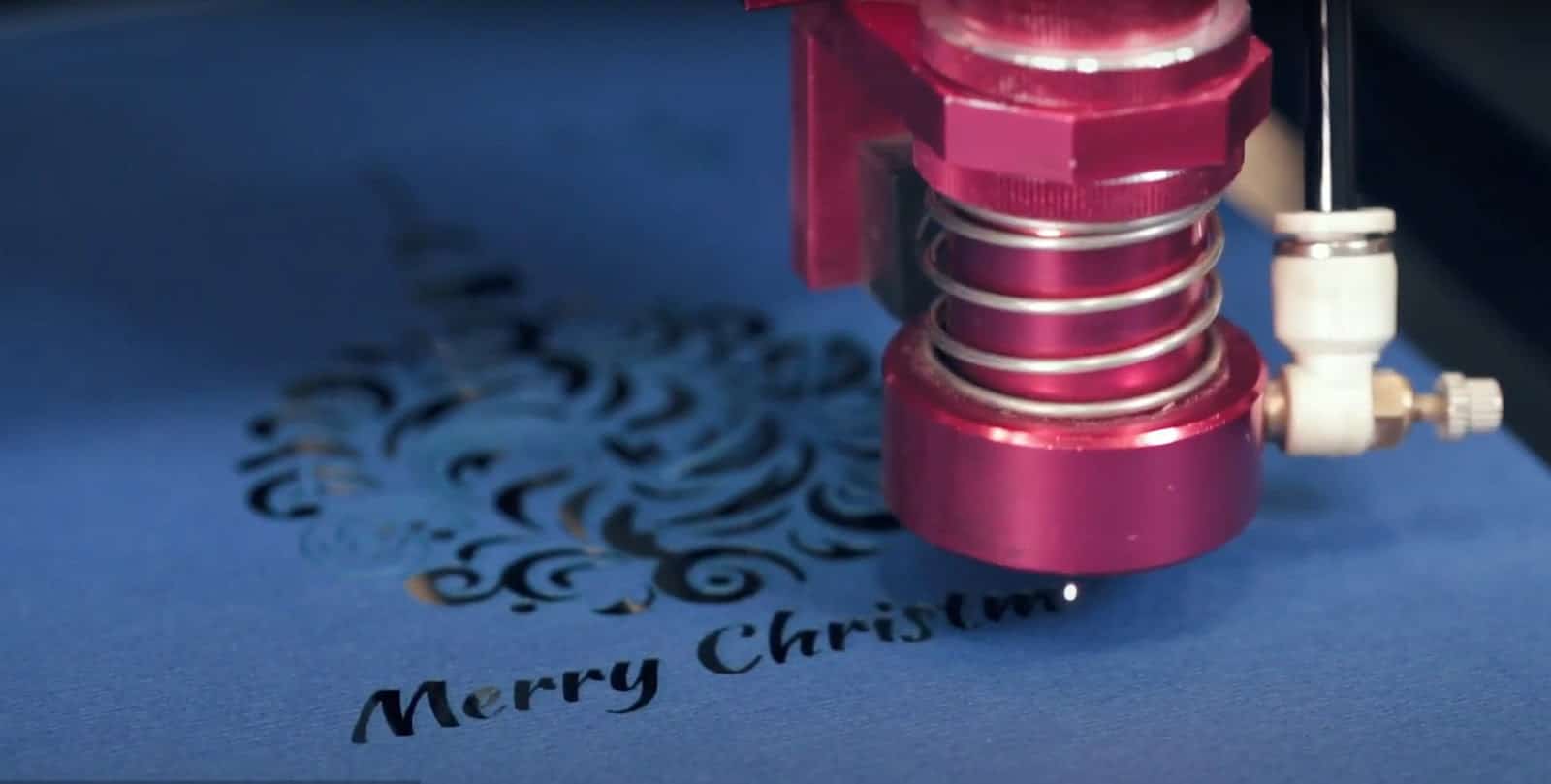
Laser cutting is a method of cutting or etching materials with a powerful laser. A laser cutter is able to cut elaborate patterns and forms with exceptional accuracy in the context of paper by directing a laser beam at the paper and burning away the material along a predetermined route.
On the other hand, laser engraving uses the same technology to etch designs or patterns onto the surface of the paper without cutting all the way through. It gives the paper a decorative look, with the depth of the engraving depending on how intense the laser beam is.
There are a number of laser cutters that is able to be used efficiently for paper laser cutting. CO2 laser cutters are the most prevalent form of the paper laser cutter. They give exceptional accuracy and control over the cutting process, making them suitable for complicated patterns and forms. CO2 lasers employ a gas combination to produce a laser beam that is focused on the paper and is able to cut through paper with minimum burning or charring.
Paper is as well able to be cut using fiber laser cutters. However, this method is less widespread. They employ a high-powered laser beam to cut through materials but are often better suited for cutting tougher materials such as metal and do not be as accurate when cutting paper as CO2 lasers.
The optimum power, speed, air flow, focal length, and other settings for laser cutting paper rely on a number of variables, such as the kind and thickness of the paper being cut, the design or pattern being cut, and the type of laser cutter being used.
Lower power settings are generally preferable for cutting paper since higher settings are able to result in severe scorching and charring. Power settings between 10 and 30 percent are often suggested for paper cutting.
The cutting speed is dependent on the kind of paper being cut; however, a slower pace is often chosen for paper cutting to provide clean, accurate cuts that are not scorched or charred.
Air movement is essential for paper cutting since it helps remove smoke and debris and prevents charring. However, excessive airflow causes the paper to shift or distort during cutting. Establishing the optimal balance for the laser printer and paper type is essential.
Focal length refers to the distance between the lens of the laser cutter and the cutting surface of the paper. The optimal focal length is going to be determined by the kind of laser cutter used and the thickness of the paper being cut. Generally, a shorter focal length is better for cutting thicker paper, while a greater focal length is superior for cutting thinner paper.
How to Laser Cut Paper?
Listed below are the six steps on how to laser cut paper.
- Choose the design. Choose the design or pattern that is going to be cut from the paper. One is able to achieve it by hand-drawing the design on paper or utilizing design software.
- Prepare the paper. Ensure the paper is level and free of folds or creases before preparing it. The paper must be placed on the laser cutter bed and fixed there.
- Adjust laser settings. Modify the laser’s settings to the proper power, speed, and other parameters for the paper being used. It is crucial to verify the settings on a tiny piece of paper to ensure they are accurate and the cuts are precise and exact.
- Start the laser cutter. Switch on the laser cutter and start cutting. The required pattern or form is going to be produced by the laser cutter by cutting along the predetermined route.
- Remove the cut paper. Take the sliced paper from the laser cutter bed gently when the laser cutter has completed cutting the pattern. Remove any little bits of paper that are still going to be adhered to the pattern using a tool or tweezers.
- Finishing touches. Trim the edges or remove any surplus paper depending on the design for a polished effect.
What is the advantage of laser cutting Paper?
The laser-cutting paper has several advantages: precision, versatility, speed, consistency, flexibility, and minimal waste. First, laser cutting paper provides high precision and accuracy, enabling the creation of complex and detailed patterns with ease. Second, it is versatile because it is able to be used on various paper types, including cardstock, vellum, and even fragile tissue paper.
Third, laser cutting is a reasonably rapid technique that allows many copies of a design to be cut swiftly and effectively. Fourth, it produces reliable results, guaranteeing that each cut is similar to the one before. Fifth, laser cutting opens up creative possibilities, such as complex lace-like patterns, geometric forms, and even unique designs. Lastly, it creates less waste than conventional cutting processes, lowering the quantity of paper lost during the cutting process, which includes it on the advantage of laser cutting.
What is the disadvantage of laser cutting?
The laser-cutting paper has a few disadvantages, such as its cost, safety, limited material thickness, limited material types, design limitations, and time-consuming setup. First, the cost of purchasing and maintaining laser-cutting equipment may be prohibitive for specific companies or individuals. Second, it is able to be dangerous if necessary safeguards are not followed. The laser beam inflicts burns or damage to the eyes if not utilized properly, and cutting fumes are able to be hazardous if sufficient ventilation is not provided.
Third, laser cutting is typically not recommended for cutting thicker materials since the laser beam is unable to pass through the material. Fourth, not all materials are going to be sliced with a laser. Some materials, owing to their composition or thickness, are not able to be appropriate for laser cutting and need other cutting processes.
Fifth, laser cutting is able to produce elaborate patterns, but the amount of detail that is able to be obtained is restricted based on the particular laser cutting equipment and the thickness and kind of material being utilized. Lastly, setting up and configuring laser-cutting equipment takes a lot of time, including placing the material to be cut and changing the laser settings, which makes it a disadvantage of laser cutting.
What speed is better for Paper with Presentation Parts?
The best speed for laser cutting paper with presentation pieces depends on the kind of paper used and the desired outcomes. Generally, a slower cutting speed is able to be chosen for papers containing presentation sections to provide a clean and exact cut without destroying the presentation features. However, it is vital to remember that if the laser intensity is too strong, a slower speed might lengthen the cutting process and cause the paper to burn or warp.
The ideal technique is to do several test cuts on a tiny piece of paper to identify the appropriate laser settings, such as speed, power, and focus, for the particular paper being used. This ensures that the presentation components are not harmed, and the cut is clean and exact.
The speed range for laser paper cutting varies based on the exact laser cutter utilized and the paper’s thickness and kind. The speed range for laser paper cutting ranges from 10 mm/s to 500 mm/s or more. Meanwhile, the speed of laser cutting is able to have several effects on the outcomes, depending on the specific material being cut and the design being used. Speed’s effects on laser cutting include cut quality, warping, burning, productivity, and cost.
There are seven steps to determine the optimum speed for laser cutting. First, choose a small sample of the material to be cut and place it in the laser cutter. Second, configure the laser power and focus to remain consistent. Third, start with a modest cutting speed and cut the sample material. Check the cut quality, especially the edges’ smoothness and any evidence of warping or burning.
Fourth, raise the cutting speed and cut the test material again. Note the quality of the cut and any modifications compared to the prior cut. Fifth, increase the cutting speed and make cuts until the required quality level is reached. Reduce the cutting speed and make another cut if the quality begins to degrade.
Sixth, adjust the laser power and focus on getting the best results after determining the ideal cutting speed for the material. Lastly, repeat the procedure for the various materials and patterns as often as required.
The optimal laser cutting speed varies depending on the kind of laser employed. The cutting speed and quality may be impacted by the properties of several laser types, including CO2, fiber, and Nd: YAG. Moreover, the optimal laser cutting speed varies depending on the kind of paper utilized. The qualities of various kinds of paper, such as thickness, density, and moisture level, impacts cutting speed and quality.
What power is better for Paper with General Parts?
The ideal laser power for cutting paper with universal components varies depending on a number of variables, including the paper’s thickness and density, the degree of design complexity, and the required cutting speed.
Generally, thinner and less dense paper is able to be suited for lower power levels, whereas thicker and denser paper needs higher power settings. It is crucial to keep in mind that using too much force causes the paper to burn and char excessively, while using too little power leads to uneven edges and incomplete cuts.
It is advised to begin with a low power setting and raise it gradually until the desired degree of cutting is obtained. It is critical to take into account the complexity of the design being cut since this needs to use greater power settings for precise cuts.
The best laser power range for cutting paper with a laser cutter depends on the kind of paper and the intended outcome. Generally, the power range of a laser cutter for cutting paper varies from roughly 5 watts to 150 watts or more.
Laser cutter power settings, especially for paper cutting, are able to affect performance. Higher electrical settings are able to cut thicker, denser paper quicker but as well increase the danger of burning and charring. High power settings warp or deform paper, affecting cut accuracy and quality. On the other hand, lower power levels minimize paper burning and warping, but they may not cut heavier materials. Low power settings cause unfinished cuts or uneven edges.
There are five steps to determining the optimum power for laser cutting paper. First. begin with a low power level and progressively raise the power until the desired cutting result is obtained. It assists in keeping the paper from burning or charring. Second, try several power levels to find the one that creates the smoothest cut while not causing the paper to stretch or distort. Try the power settings on little pieces of paper before cutting the complete pattern.
Third, different types of paper need different power settings. Thicker and denser paper, for example, is able to demand a higher power setting, while thinner and less dense paper is able to require a lower power level. Fourth, more complicated designs need higher power settings to create clean cuts. Intricate designs with fine details, for example, need a higher power setting to guarantee that all portions of the design are cut through. Lastly, examine the results of each test to identify the best power level for the particular material and design. Reduce the power setting if the paper is burnt or deformed. Increase the power level if the paper is not cut all the way through or the edges are rough.
The optimal power level for laser paper cutting varies based on the laser used. Various wavelengths and beam properties of lasers, such as CO2 and fiber, influence how they interact with paper.
The best power level for laser cutting paper depends on the paper used. The composition, thickness, and density of various kinds of paper are able to all have an impact on how they react to laser light.
How does Paper Sheet Thickness affect laser cutter watt need?
The thickness of a paper sheet impacts the laser cutter power needed to cut through it. Thicker paper sheets need more energy to cut through, while smaller paper sheets necessitate fewer watts.
It is due to the fact that thicker paper sheets absorb more energy in order to be cut through. Incomplete cuts or rough edges arise from a laser’s inability to entirely cut through the paper if the laser power is too low. Nevertheless, if the laser wattage is too high, the paper burns or deforms, resulting in poor-quality cuts.
The paper’s thickness is able to impact the aesthetic of laser-cut patterns. A larger kerf (the breadth of the cut) and sometimes more apparent burn lines or discoloration on the cut edges might occur from using higher laser power to cut through thicker paper.
The duration of the laser-cutting process is able to be affected by the thickness of the paper. The thicker paper needs more laser power and takes longer to cut through than thinner paper.
What is the best setting for Laser Cutting Paper?
The best setting for laser cutting paper varies depending on a number of elements, such as the kind of paper being used, its thickness, and the degree of accuracy and detail that is going to be wanted in the cut.
Some general guidelines that is able to help in achieving good results are starting with a lower power setting, adjusting the speed, using a high resolution, testing with a small sample, and considering using a mask.
There are several laser cutter types available on the marker, including CO2 laser cutter, fiber laser cutter, crystal laser cutter, diode laser cutter, and hybrid laser cutter.
What are the common mistakes for Laser Cutting Paper?
Listed below are the common mistakes for laser cutting paper.
- Burning or scorching the paper: Using a power level that is too high, a speed that is too slow, or a resolution that is too low all causes the laser to burn or scorch the paper. It results in an uneven or unattractive cut.
- Not accounting for the paper’s grain: The grain orientation of paper is able to alter the quality of the cut. Tearing or fraying occurs if the laser cuts against the direction of the fabric. Make certain that the grain of the paper runs parallel to the cutting path.
- Using the wrong cutting bed: A laser cutter’s cutting bed considerably influences the cut quality. Utilizing an unclean, flat, or level bed results in uneven or incorrect cuts.
- Not testing with a sample: It is usually a good idea to test with a tiny sample before cutting your whole design. It allows one to spot any possible design or cutting settings difficulties before they spoil the final product.
- Using the wrong type of paper: Not every paper is appropriate for laser cutting. Thick or solid materials like cardstock or cardboard need higher power settings and slower cutting rates to create a clean cut. Thin or fragile paper, on the other hand, is able to demand lower power settings and higher speeds to prevent burning or ripping.
Which Laser Cutter is best for Paper?
Three main types of laser cutters are often used for paper cutting. First, The most popular laser cutter used for cutting paper is the CO2 laser cutter. They employ a high-powered CO2 laser to swiftly and accurately cut through the paper. CO2 lasers are able to cut a variety of paper types, including cardboard, cardstock, and even thin wood veneer.
Second, Fiber laser cutters are often used to cut metal but are able to be used to cut thin paper. They melt and evaporate the paper using a high-powered laser beam, resulting in a perfect cut. Fiber lasers are very excellent for cutting complicated patterns or motifs onto paper.
Lastly, Diode laser cutters are often used for engraving and etching on a wide range of materials, including paper. They etch patterns into the paper’s surface using a lower-powered laser beam. Diode lasers are perfect for making intricate patterns or personalizing paper items.
On the other hand, three main types of paper are able to be effectively cut with laser cutters, including cardstock, vellum, and chipboard.
What are the Paper Projects for Laser Cutting?
Listed below are the paper projects for laser cutting.
- Greeting cards: Handmade greeting cards with laser-cut graphics are able to have something special. The face of the card includes detailed patterns or motifs made with the laser cutter, such as flowers, stars, or geometric forms.
- Invitations: Laser-cut invitations are able to be a classy and beautiful way to let people know about essential occasions like weddings, graduations, or birthdays. Lace or flower motifs are able to be cut into the invitation to give a touch of elegance.
- Bookmarks: Bookmarks are able to be laser cut into a variety of shapes, including animals, plants, and phrases. This makes them a creative and valuable project. They are available in a variety of paper colors and thicknesses.
- Paper lanterns: Laser-cut paper lanterns are able to give any space a cozy, welcoming feel. Unique lighting effects are able to be achieved by cutting designs such as stars, moons, and leaves into the lantern.
- Wall art: Wall art made from laser-cut paper is able to be framed and put on a wall. Cut-outs of cityscapes, landscapes, or geometric patterns are able to be used to make beautiful works of art.
- Paper flowers: Paper flowers are elaborate paper flowers that are able to be made with laser-cut paper and organized into a bouquet or used as a centerpiece. Paper is able to be cut with designs such as roses, lilies, and peonies to give a realistic look.
- Pop-up cards: Making pop-up cards out of laser-cut paper is able to be entertaining and engaging. Paper is able to be cut into shapes like animals, buildings, or vehicles to make them look like they are in three dimensions.
- Gift boxes: Elegant and distinctive gift boxes for special occasions are able to be made from laser-cut paper. Hearts, stars, and bows are able to be cut into the paper to give a decorative element.
- Coasters: Coasters are able to be made from laser-cut paper to prevent surfaces from being damaged by moisture. Mandalas, flower patterns, and abstract motifs are able to be cut into the paper to give a personal touch.
- Place cards: A dinner party or wedding benefits from having exquisite place cards that have been laser cut. The paper is able to be customized by cutting patterns into it, such as the guest’s name or a pretty shape.
What are the alternatives of Paper for Laser Cutting?
Listed below are the alternatives of Paper for Laser Cutting.
- Acrylic: It is a popular laser cutting medium due to its durability, adaptability, and transparency. It is often used to make signage, displays, and other ornamental products. Acrylic engraving is a common laser cutting application. Laser cutters are able to cut, engrave, and shape acrylic, a thermoplastic. Acrylic engraving is able to produce detailed designs, logos, text, and patterns for signage, trophies, prizes, and ornamental objects.
- Wood: Laser cutting generates detailed patterns on various kinds of wood, such as plywood, MDF, and balsa. Wood is able to be used to make home décor, jewelry, and other DIY products. Wood engraving involves laser-etching patterns, text, or pictures into wood. The laser beam destroys a little bit of wood’s surface layer, providing contrast and depth.
- Leather: Laser cutting is able to be used to cut and engrave leather, allowing for the creation of detailed designs and patterns. Leather is often used to make fashion accessories such as wallets, purses, and belts. Leather engraving is done using a laser cutter or engraving equipment.
- Fabric: A variety of materials, including cotton, silk, and denim, are able to be cut and engraved with laser cutting. Fabric is able to be used to make personalized apparel, home décor, and accessories. Fabric engraving is done using a laser cutter. A powerful laser beam removes the fabric’s top layer and creates the pattern. The laser beam is able to precisely carve complicated motifs on cloth.
- Foam: Foam materials, such as EVA foam and foam core, are able to be cut and engraved using laser cutting. The foam is able to be used to make cosplay costumes, props, and other crafts. Foam engraving is done using a laser cutter or engraver.
- Glass: Laser cutting on glass produces detailed patterns, such as etching and engraving. Glass is able to be used to make beautiful objects like vases, picture frames, and decorations. Glass engraving involves etching or engraving patterns into glass using laser cutters, sandblasters, rotary tools, or diamond point hand engraving tools.
- Metal: A variety of metals, including stainless steel, aluminum, and brass, are able to be cut and engraved using laser cutting. Jewelry, signage, and other ornamental objects are able to be made from metal. Metal engraving is done using a laser cutter or engraver. Laser engraving is faster, more precise, and are able to generate elaborate, detailed patterns.
- Stone: Laser cutting engraves patterns on a variety of stones, including granite and marble. Stone is able to be used to make customized presents like coasters and plaques. Stone engraving involves using a laser cutter or other engraving equipment to etch or carve patterns, text, or pictures into natural or synthetic stones.
What type of paper is not recommended for laser cutting?
Listed below are the type of paper not recommended for laser cutting.
- PVC Paper: PVC paper includes plastic, which, when subjected to the high temperatures of a laser cutter, is able to melt and produce dangerous fumes. This poses a risk to both the equipment and the operator.
- Coated Paper: The coated paper contains a glossy or matte coating layer that is able to melt during laser cutting, resulting in uneven edges or residue. It is able to potentially harm the equipment and diminish the quality of subsequent cuts.
- Highly textured paper: Material with extensive embossing or a deep texture causes the laser cutter to skip or produce uneven cuts. It is able to result in poor cut quality or machine damage.
- Thick or dense paper: Very thick or dense paper is challenging to cut with a laser cutter and is able to cause the machine to overheat or slow down. It is able to damage the cut quality and the longevity of the machine.
- Non-uniform paper: It is not among the best type of paper for laser cutting. Paper with folds, creases, or wrinkles cause the laser cutter to generate inconsistent cuts or possibly harm the equipment.
Does laser cutting burns paper?
Yes, laser cutting does burn paper, mainly if the laser power and speed parameters are not correctly calibrated. The paper warms up as the laser beam strikes it, which results in burns or discoloration, particularly along the cut edges.
However, it is feasible to reduce burning and produce precise, accurate cuts on paper with the correct settings and methods. All examples are adjusting the laser power and speed, using a higher-quality paper less prone to burning, and employing a lower resolution to limit the length of time the laser beam spends in any location.
Burning on paper is a natural result of laser cutting and may be a desired effect for some projects. Burning, for example, provides a charred or smoked look on paper, which lends depth and texture to a design.